Pricing & your numbers
Pricing by demand: seasons, weekdays, events and lead time
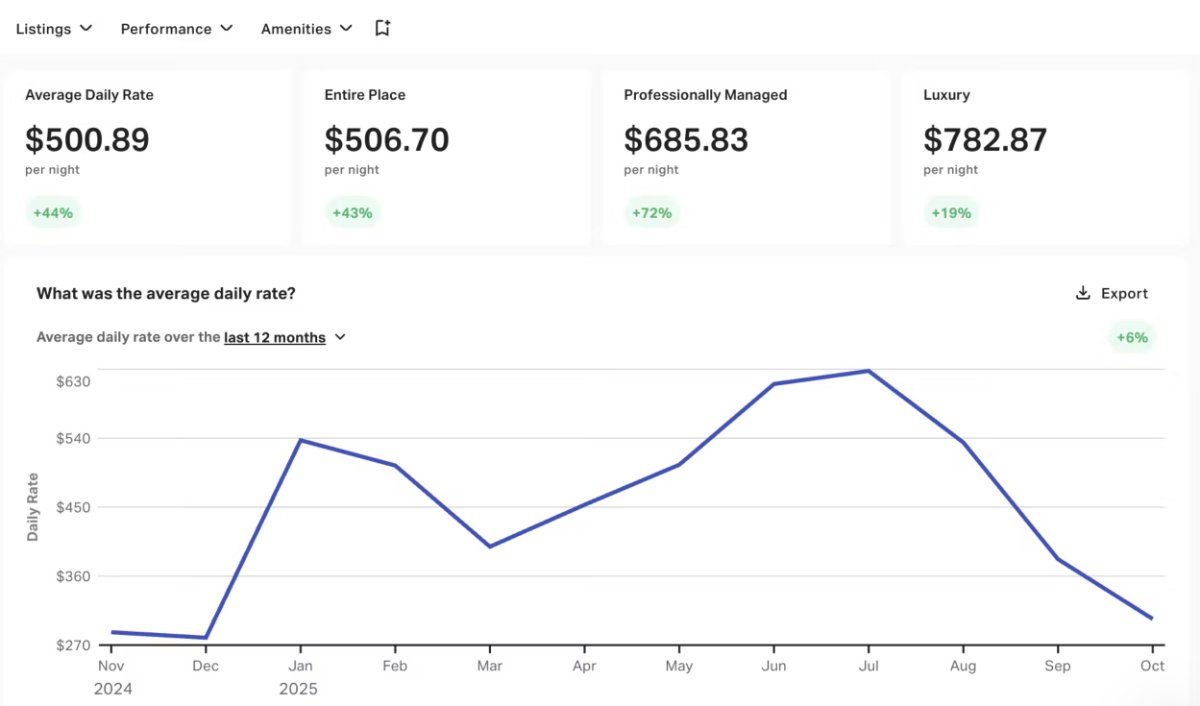
One price for every night is a guess that's wrong most of the time: too cheap on the nights everyone wants, too dear on the nights nobody does. Pricing by demand means your price follows what guests are actually doing, night by night.
The first-season pricing guide covered your starting price, your floor and the basic shape of the seasons. This guide goes further: a price ladder you can explain, weekday and weekend prices from your own data, event nights, and how to use lead time and pace to decide when to hold a price and when to move it.
The short answer
Build your prices from one base price and a few clear adjustments: season, day of the week and event dates. Then let pace decide your changes. Hold when dates are selling at or ahead of your usual pace. Lower in small steps when they're behind and check-in is close. Never go below your floor, counted after every discount and commission.
Start from a base and a floor
Your base price is what you charge for an ordinary night in an ordinary month, such as a weekday in spring or autumn. Every other price is the base moved up or down.
Your floor is the lowest price that still covers your costs. The break-even calculator works it out. The base moves with the seasons; the floor doesn't move at all.
Build a price ladder
A ladder is a few rules you apply in order. Here is a hypothetical one, with a base of ֏30,000:
- Low season: base −15%
- Spring and autumn: the base
- Peak season: base +25%
- Friday and Saturday nights: +15% on top of the season
That gives you:
- Winter weekday: ֏25,500
- Winter Saturday: ֏29,325, rounded to ֏29,300
- Summer weekday: ֏37,500
- Summer Saturday: ֏43,125, rounded to ֏43,000
These percentages are an example, not a rule. Set yours from your own numbers: which months filled first last year, and how your comparison set moved.
Which nights are your busy nights? Don't assume it's the weekend. Count which nights of the week were booked most over the last year. A city flat may fill on weekdays with work trips, and a house in the mountains may fill on Fridays and Saturdays. Let your bookings decide where the premium goes.
Events and busy dates
Price event nights by hand, above your ladder.
- Check Busy dates every month for the next six months. New events appear all the time.
- Ask whether it reaches you. A big concert in Yerevan matters to a flat in the city more than to a house two hours away.
- Raise the price as soon as you know, with a minimum stay for the peak nights.
- Watch how fast they sell. If your event nights book within days of your change, you were probably still too low. Note it for the next event.
The "Is a higher price worth it?" calculator shows how many nights a higher price needs to earn the same.
If you host on Revamp, Dashboard → Analytics → Events & pricing shows your price on upcoming event dates beside what similar Revamp listings ask, when there are at least three to compare. You can apply a suggested price, but nothing changes until you choose it. Where Revamp has enough booking history for your city, a demand outlook sits at the top of the same page.
Lead time: pricing against the clock
Each night fills over the weeks before it arrives. Your average lead time tells you when most of your bookings usually come. Compare a date's bookings with where you'd normally be at that point, which is your pace.
Our suggestion for each date or week ahead:
- Ahead of pace: hold, or raise the nights still open by a small step.
- On pace: hold.
- Behind pace, still further out than your usual lead time: check your listing and your comparison set first. Change little or nothing yet.
- Behind pace, inside your usual lead time: lower in small steps, a few days apart, and consider a shorter minimum stay for those dates.
Booking sites have their own tools for this. Airbnb's Help Centre, in its article "How rule-sets work", says hosts using its professional hosting tools can save rule-sets that include early-bird and last-minute discounts. At the time of writing (November 2026), it says rules apply in a set order: nightly and weekend adjustments, then weekly and monthly discounts, then early-bird and last-minute ones. In its example, a trip that qualifies for both an early-bird and a monthly discount gets only the monthly one. It also says Smart Pricing overrides rule-sets. Check the current rule before you rely on it.
Gap nights
The minimum stays guide explains how to open short gaps between bookings. When you price them, count the turnover. A one-night gap sold at ֏25,500 with a ֏8,000 turnover leaves you ֏17,500 before commission, not ֏25,500.
On Revamp, Dashboard → Offers has two tools for this:
- Empty-night deals: a single empty night between two bookings is offered to the Revamp guests either side of it, at a discount you set (20% unless you change it). The first to book gets it.
- Early check-in and late checkout: sell an earlier arrival or a later departure, offered only when nobody checks out or in that day.
When to hold and when to move
Hold when
- Dates are selling at or ahead of your usual pace
- Event nights are still well ahead
- You changed the price only a few days ago
Move when
- Dates are behind pace inside your usual lead time
- Your comparison set has moved and you've stopped selling
- A new event appears for dates you haven't priced
How to move
- In small steps, for example 5 to 10%
- Only for the nights affected, not the whole calendar
- One change at a time, written down with the date and the reason
Never below your floor
Discounts and commission stack, so a price that looks safe can still lose money. A hypothetical night:
- Price ֏20,000
- A 20% discount brings it to ֏16,000
- A 15% commission leaves you ֏13,600
If your floor is ֏15,000, that night costs you money, although the price you typed was well above it. Check what you receive, not what guests see. The "What you keep from a booking" calculator shows a booking after commission and costs.
Pricing mistakes to avoid
- Putting the premium on the weekend without checking your own busy nights
- Pricing an event a week before it, when nearby places have already sold
- Cutting prices on dates that are on pace
- Changing the whole calendar because a few dates are slow
- Stacking discounts without checking the final payout against your floor
- Moving prices every day, so you never learn what worked
Your checklist
Your ladder
- Base price and floor written down
- Season and day-of-week adjustments set from your own data
- Prices checked against your floor after discounts and commission
Every month
- Busy dates checked for the next six months
- Pace checked for every week in the next three months
- Gap nights reviewed, with the turnover counted
Every change
- Small step, only the dates affected
- Written down with the reason
- Result checked before the next change
Questions hosts ask
Should I use an automatic pricing tool?
It can save time. Set its minimum at your floor, and check its prices against your pace and comparison set each month. On Airbnb, its Help Centre says Smart Pricing overrides rule-sets, so don't expect both to apply at once.
How big should my weekend premium be?
Start small and look at your own data. If your weekend nights sell out weeks before your weekdays, the premium can grow. If they don't, it's too big or in the wrong place.
I raised my price for an event and nothing booked. What now?
Check your comparison set's calendars. If their event nights are closing and yours aren't, lower in a small step. If nobody's are, the event may not reach your area.
Can my price go below my comparison set?
Yes, when your dates are behind pace and check-in is close. It can't go below your floor.